
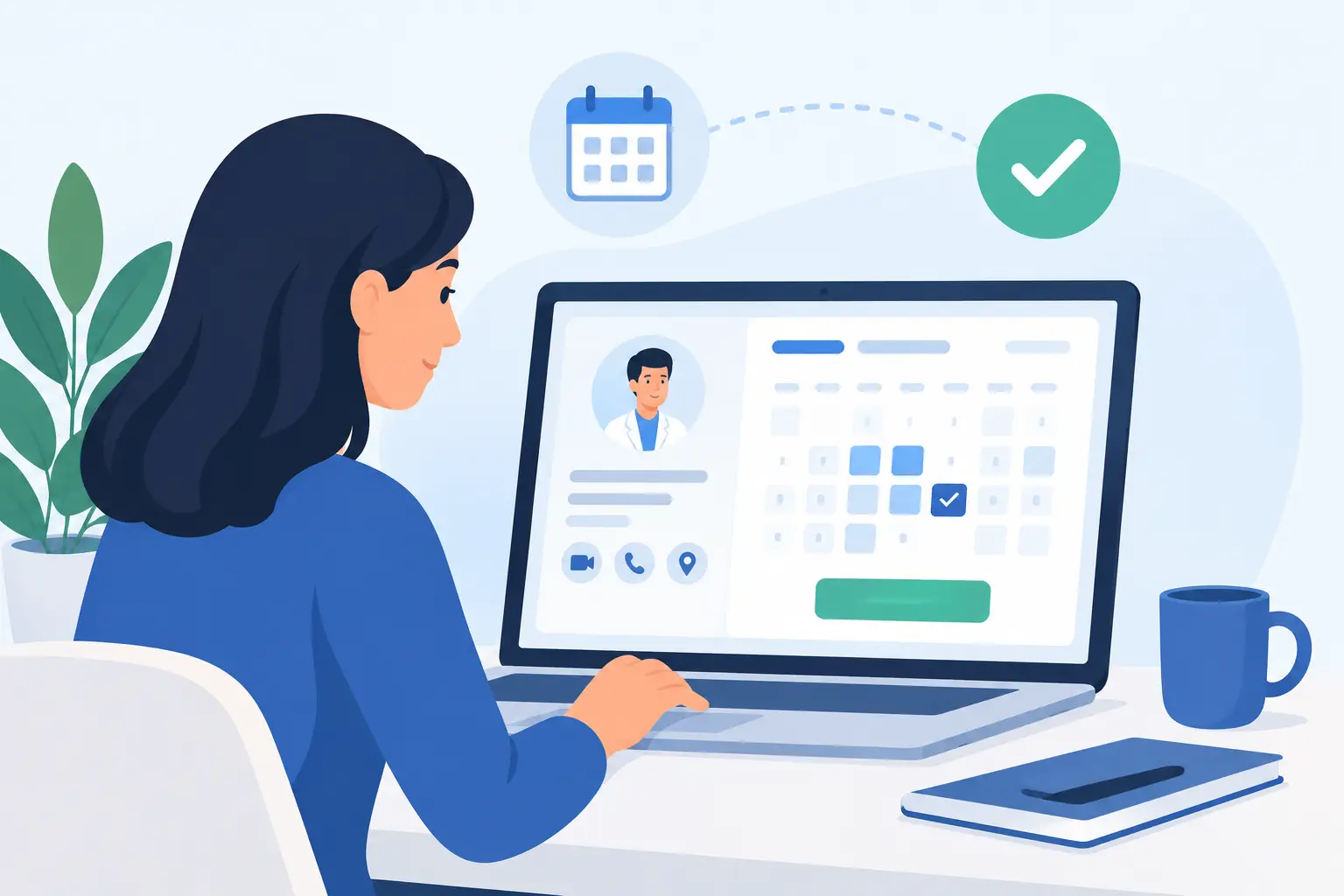
A customer who has to call during business hours, wait for a reply, or exchange three messages to confirm a time may choose a competitor instead. Learning how to build an appointment website is about removing that friction while giving your team better control of availability, customer data, and follow-up.
For clinics, salons, consultants, training providers, repair companies, and professional service firms, online booking is no longer a nice extra. It is a practical sales and operations tool. The right website can turn interest into a confirmed appointment at any hour, without forcing staff to manage every request manually.
Start With the Booking Journey, Not the Website Design
A high-impact appointment website begins with a clear understanding of what the customer needs to do. Before choosing colors, layouts, or booking software, map the journey from first visit to confirmation.
Ask what service the visitor wants, how long it takes, which team member can deliver it, whether payment is required, and what information must be collected before the appointment. A dentist may need a patient to select a treatment type and provide contact details. A business consultant may need a visitor to choose between a 30-minute introductory call and a longer paid session. A home service provider may need an address, preferred time window, and description of the problem.
The fewer unnecessary decisions a customer must make, the higher the completion rate. However, reducing steps should not mean collecting too little information. The best setup balances a fast booking experience with the details your team needs to serve the customer properly.
Define Services, Rules, and Availability
Your appointment system must reflect how the business actually operates. Generic booking forms often create confusion because they treat every service as identical. A strong website separates services by duration, price, staff availability, location, and preparation requirements.
Build service options around real customer needs
Name services in plain language. Instead of listing an internal department name, use labels a customer recognizes, such as “Initial Consultation,” “Hair Color Appointment,” “AC Maintenance Visit,” or “Passport Photo Session.” Add a short explanation so visitors understand what is included and how long the appointment will take.
If a service has different pricing levels, show the difference before the customer chooses a time. Surprises at checkout create abandoned bookings and frustrated calls.
Set boundaries that protect your operations
Availability should include more than opening hours. Configure appointment buffers for travel, cleaning, preparation, or staff breaks. Set a minimum notice period so customers cannot book a complex service five minutes before it begins. Add cancellation and rescheduling rules that match the value of the appointment and the capacity of your team.
For businesses with several specialists, allow customers to select a preferred professional when that choice matters. For organizations that need to distribute demand evenly, assign bookings automatically based on availability. The right approach depends on the customer relationship: a salon client may value a familiar stylist, while a service center may prioritize the earliest available technician.
Choose Technology That Fits the Business
There are two common ways to create an appointment website. The first is to integrate a proven booking platform into a business website. This can be efficient for straightforward booking requirements. The second is to develop a custom scheduling experience that connects directly with internal systems, customer records, payment tools, or mobile applications.
An off-the-shelf solution is often suitable when services are simple, the team is small, and speed to launch matters most. Custom development is more valuable when a business has multiple locations, complex approval workflows, specialized booking rules, multilingual needs, membership plans, or integration requirements.
The decision should not be based on features alone. Consider long-term ownership, monthly software costs, data access, security, reporting, and the ability to adjust the system as the business grows. A platform that works for ten bookings a week may become restrictive when your operation handles hundreds.
Design the Appointment Website for Action
A booking website should look credible, but visual quality is only effective when it supports action. Every major page should make the next step obvious. If booking is the primary goal, the appointment button should be visible in the top navigation and repeated naturally throughout service pages.
Use a clean page structure that answers the questions customers commonly ask before they commit: What do you offer? Who is it for? How much does it cost? Where are you located? How long will it take? What happens after booking?
Trust signals matter, especially when appointments involve healthcare, high-value professional services, or personal information. Present authentic team profiles, business credentials, customer testimonials, location details, and clear policies. Professional photography can make a significant difference because customers want reassurance that they are booking with a real, capable organization.
Mobile performance deserves special attention. Many bookings happen between meetings, during commutes, or outside business hours. Forms must be easy to complete on a phone, calendar options must be readable, and buttons must be large enough to use without frustration. A visually impressive site that makes mobile booking difficult will lose valuable demand.
Make Confirmation and Reminders Part of the Experience
The appointment is not complete when a visitor submits a form. The website should trigger a clear confirmation that includes the service, date, time, location, contact details, and next steps. If the booking requires approval, state that plainly rather than making the customer assume it is confirmed.
Automated email and text reminders can reduce no-shows, particularly for appointments booked weeks in advance. The timing depends on the service. A simple consultation may only need a reminder the day before, while a medical procedure or paid training session may require instructions several days ahead.
Give customers a simple way to reschedule or cancel within your stated rules. This protects the relationship and helps your team recover open slots. For high-demand services, a waitlist can turn last-minute cancellations into new revenue opportunities.
Add Payment When It Supports Commitment
Online payment is not necessary for every appointment, but it can improve commitment and simplify administration. Businesses may charge the full amount, request a deposit, or hold card details for late-cancellation policies. The right model depends on the service value, the likelihood of no-shows, and customer expectations in your market.
Be direct about charges before the customer confirms. Explain whether a deposit is refundable, whether taxes are included, and what happens if an appointment is canceled. Clear payment terms build confidence and reduce disputes later.
Connect Booking Data to Sales and Operations
An appointment website produces useful business intelligence when it is connected to the rest of your digital infrastructure. Track which service pages generate the most bookings, which campaigns bring qualified customers, how many visitors abandon the booking process, and which appointment times fill fastest.
This data can guide staffing, marketing budgets, service pricing, and website improvements. If customers regularly search for evening appointments that are unavailable, that is operational insight. If one campaign produces many inquiries but few completed bookings, the message, audience, or booking flow may need adjustment.
Customer data should also support appropriate follow-up. A consultation booking can trigger a pre-meeting questionnaire. A completed appointment can lead to a review request, maintenance reminder, or relevant future offer. The goal is not to send more messages. It is to send useful communication at the right moment.
Test Before You Promote the Website
Before launching campaigns, test the full experience from the customer’s perspective. Book from a desktop computer and several mobile devices. Test confirmation emails, reminders, rescheduling, payments, calendar synchronization, staff notifications, and time-zone settings if you serve international customers.
Also test unusual but realistic situations: two people trying to book the last slot, a staff member taking leave, a customer using an invalid phone number, or a payment that fails. Small errors in these moments can create large operational problems once traffic increases.
After launch, review performance regularly. Booking websites are not static brochures. Availability changes, services evolve, customer behavior shifts, and marketing campaigns create new demands. Ongoing maintenance keeps the booking process accurate, secure, and commercially effective.
A professionally planned appointment website gives customers a faster path to your business and gives your team more time to deliver excellent service. For organizations that need strategy, design, development, hosting, and promotion aligned under one experienced digital partner, InteracOman can help turn online availability into measurable business growth. Ask for a free quote and build a booking experience your customers will use with confidence.


0 Comments